
By the Lawaken team
Disclosure: Lawaken sells LAWK City Air. This guide explains practical uses and limitations of our product.
If you are exploring AI meeting notes in Dubai, the main question is practical: how do you capture a face-to-face conversation without spending the whole meeting writing?
A property viewing, supplier discussion or client appointment can contain decisions that are easy to forget. AI meeting notes can help turn recorded conversations into information you can review afterwards.
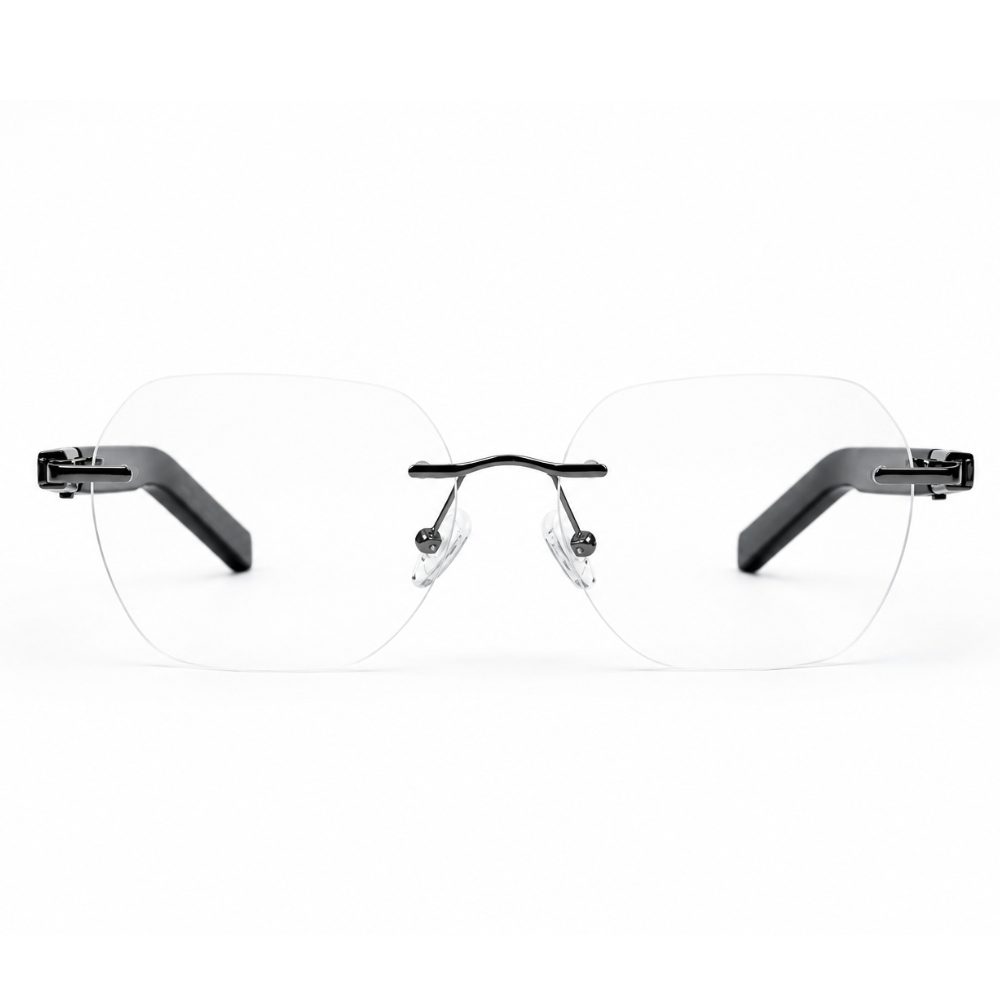
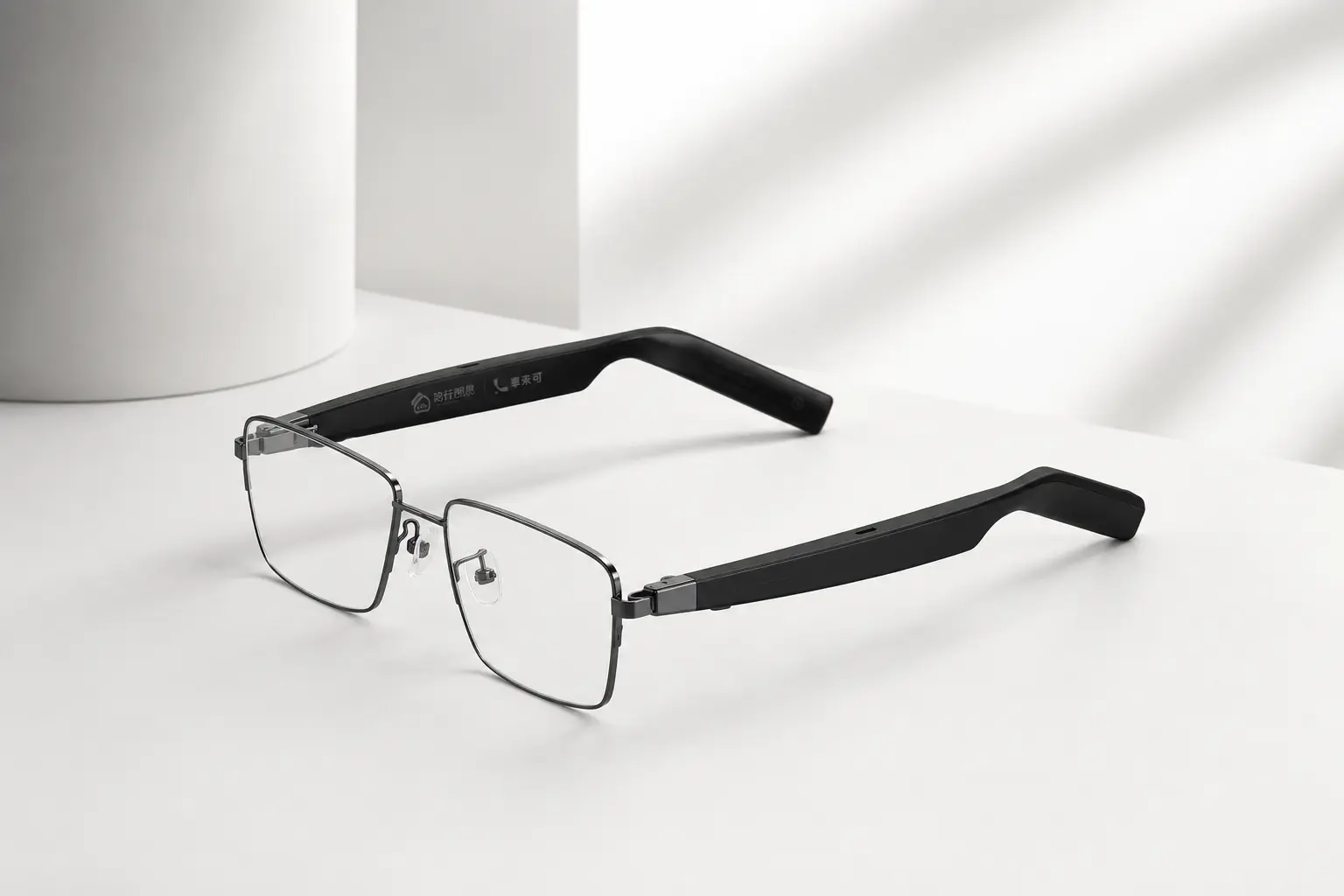
LAWK City Air smart glasses offer an audio-based way to capture these conversations. The glasses work with a supported phone app to generate transcripts, summaries and action items. They have no camera, and recording should always begin with permission.
What Are AI Meeting Notes?
AI meeting notes are structured notes produced from a recorded conversation. Depending on the tool and supported features, the output may include a transcript, a summary, key decisions and suggested follow-up tasks.
The recording provides a reference; the generated notes make it easier to find useful details. Neither replaces checking what was actually agreed. Names, amounts, dates and task owners deserve particular attention before you share a summary or update your records.
For the full process, read our guide to how AI meeting notes work.
How LAWK City Air Fits Physical Meetings
LAWK City Air brings recording into an eyewear format. You wear the glasses, start recording with the supported controls and use the connected app to process the audio afterwards. The phone and app remain part of the workflow.
According to the LAWK City Air product specifications, frame-dependent weight starts at 28g, and the app supports iOS and Android. Check the current compatibility requirements before buying.
The product page lists up to 14 hours of battery life. That general battery figure should not be read as a guarantee of 14 hours of continuous meeting recording. Recording conditions, connection and battery status matter, so check the recording-specific specification for your setup.
Practical Uses in Dubai, the UAE and Saudi Arabia
Client meetings and property viewings in Dubai
A Dubai property consultant may discuss a client’s preferred area, budget, move-in date and viewing availability in one conversation. With permission, recording provides a reference for preparing a shortlist afterwards.
Before entering details into a CRM, confirm property names, amounts and appointments. A generated summary should not turn a tentative preference into a confirmed commitment. Explore our guide to meeting notes for Dubai real estate professionals for this specific workflow.
Project discussions elsewhere in the UAE
For a team in Abu Dhabi or Sharjah, the useful output may be a short list of decisions, owners and deadlines. After a planning meeting, review the notes and separate agreed actions from ideas that still need approval.
For example, “we could send the proposal on Thursday” is different from “Mariam will send the approved proposal on Thursday.” Confirm the intended meaning with the team before assigning a task.
Sales and supplier conversations in Saudi Arabia
A sales professional in Riyadh or a business owner in Jeddah may need to revisit customer requirements, delivery expectations or points raised by a supplier. A permitted recording can support that follow-up.
For professionals considering AI smart glasses in Saudi Arabia, assess the actual meeting environment, app compatibility and supported languages. Confirm current KSA delivery arrangements before ordering. These are potential use cases, not claims of separate field tests in each city.
Multilingual Meetings Across the GCC
Gulf workplaces can involve Arabic, English, Hindi and other languages. A device’s general language list does not establish that every language, dialect or mixed-language discussion will produce equally reliable notes.
Before an important meeting, confirm that your intended recording language is supported, select the appropriate app setting and make a short test recording. Include a few names, numbers and phrases similar to those you expect to hear.
Review both the transcript and summary. Background noise, accents, overlapping voices and changes of language may affect the result. If translation matters to your workflow, check that feature separately: transcription records speech as text, while translation changes it into another language.
A Simple Meeting-to-Notes Workflow
- Prepare: charge the glasses and phone, pair the supported app and check the recording language.
- Ask: explain why you want to record and obtain explicit consent from everyone involved.
- Start and confirm: use the supported recording control and check that recording has begun. In the Lawaken team’s updated test setup, double-pressing the temple button started recording.
- Capture: stay close enough to hear participants clearly. A nearby discussion is different from a presenter across a large hall.
- Process: end the recording and use the app to generate the available transcript and summary.
- Review: verify decisions, task owners and deadlines before sharing the notes.
In our documented internal tests, recordings lasted approximately 20–30 minutes, and some summaries were ready in around two minutes. This is an observation from those tests, not a fixed processing promise for longer recordings. Read the Lawaken team’s LAWK City Air review for the testing context.
Turn the Summary Into Useful Follow-Up
Once you have reviewed the output, organise it into four parts: decisions, actions, open questions and the next check-in. Give each confirmed action an owner and a deadline, where these were actually agreed.
For example, after a customer discussion, your follow-up might be: “Send the revised proposal by Thursday; confirm delivery availability before quoting a date; arrange a demonstration once the customer confirms attendance.” Mark anything uncertain as needing confirmation.
Our guide to turning meeting notes into action items explains how to make this part of a repeatable team process.
Privacy and Recording in the UAE and Saudi Arabia
Before recording in the UAE or Saudi Arabia, obtain explicit consent from everyone involved. Check applicable local requirements and workplace policies as well; consent should not be treated as the only consideration for every situation.
Explain the purpose of the recording and how the notes will be shared. If a participant declines, use an agreed alternative such as written notes. The absence of a camera does not remove the need to handle audio responsibly.
Before recording confidential discussions, confirm the app provider’s current terms for storage, retention, deletion, access and any use of data for AI training. This guide does not establish those details or promise a particular storage location. Share recordings and notes only with authorised people.
Are Smart Glasses the Right Format for You?
A phone may already meet your recording needs. The reason to consider glasses is convenience: for someone comfortable wearing them, the recording control is available as part of their eyewear.
Evaluate comfort, recording quality in your usual meeting room, app compatibility and the effort required to review the output. If you rarely attend physical meetings, your existing tools may be sufficient.
For purchase considerations, frame options and local buying questions, see our Dubai smart glasses buying guide. This article focuses on the meeting workflow; the buying guide helps you assess a purchase.
Explore LAWK City Air
For meeting-heavy work across Dubai, the UAE and Saudi Arabia, the value of AI notes comes from what you can reliably do after the conversation: confirm decisions, remember requirements and follow up clearly.
Visit the LAWK City Air product page to review current specifications, frame options, pricing and delivery information before deciding whether the glasses suit your routine.
Frequently Asked Questions
What are AI meeting glasses?
AI meeting glasses combine eyewear with audio recording and a connected app that can process recordings into meeting notes. LAWK City Air focuses on audio-based meeting capture rather than photography or video.
Can LAWK City Air be used for meetings in Dubai?
LAWK City Air is designed for physical meeting use cases. Before recording in Dubai, obtain explicit consent from everyone involved and confirm that recording is permitted under applicable requirements and workplace policies.
Is LAWK City Air available in the UAE?
Customers in the UAE can check current availability, frame options, delivery information and payment methods on Lawaken’s official product page.
Can LAWK City Air be useful in Saudi Arabia?
The meeting-note workflow may suit professionals in Saudi Arabia who attend client meetings, project discussions or supplier appointments. Confirm delivery availability and relevant app functionality with Lawaken before ordering.
Does LAWK City Air have a camera?
No. LAWK City Air does not have a camera. It captures audio for a workflow that uses the connected phone app to generate transcripts, summaries and action items.
Can AI meeting notes work with different languages?
Results depend on the supported language, app settings, accents, audio quality and overlapping speech. Confirm support for your intended language and test a short recording first. Do not assume that mixed-language transcription or translation works equally well in every situation.